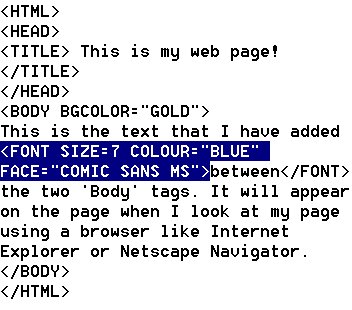
6. Type: Size=7
This will make the text the biggest size. The smallest is 1.
7. Type: Color="Blue"
Note the American spelling.
8. Type: Face="Comic Sans MS"
This will change the font. Always check you have the right spelling.
9. Place your cursor after the last word to be changed and type the closing 'Font' tag.


10. Save your work.
11. Return to your web page and click the 'Refresh' button to view your updated page.